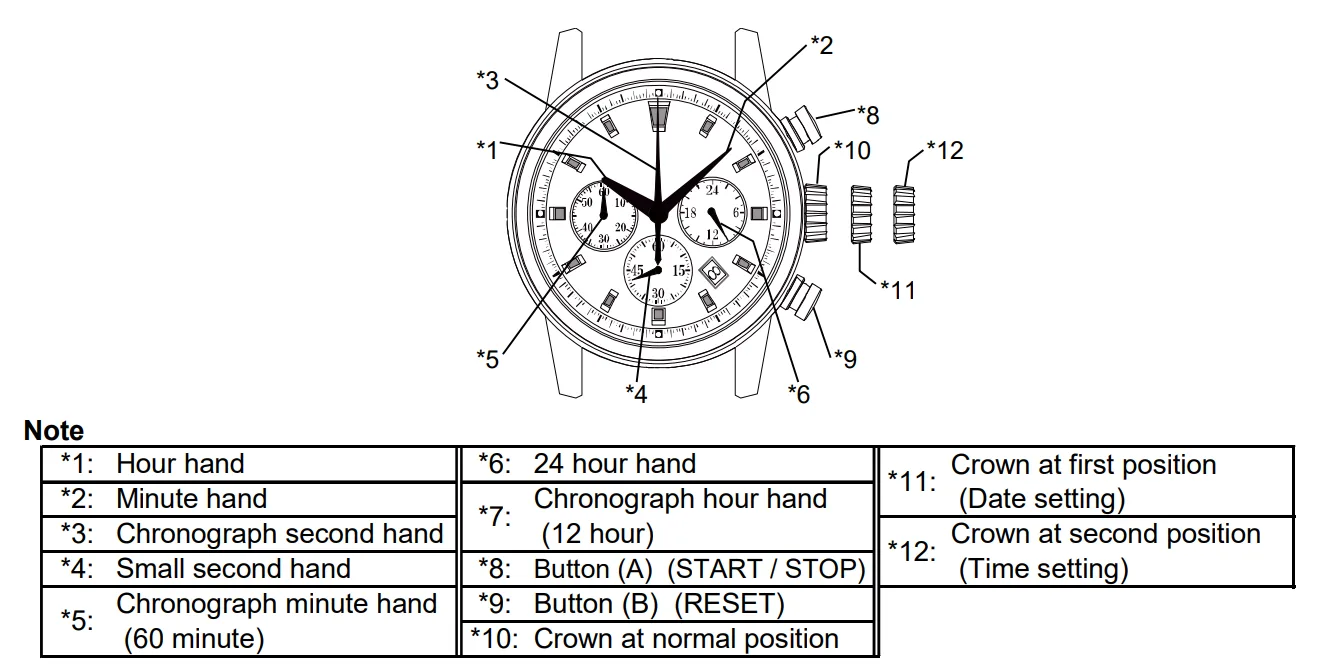
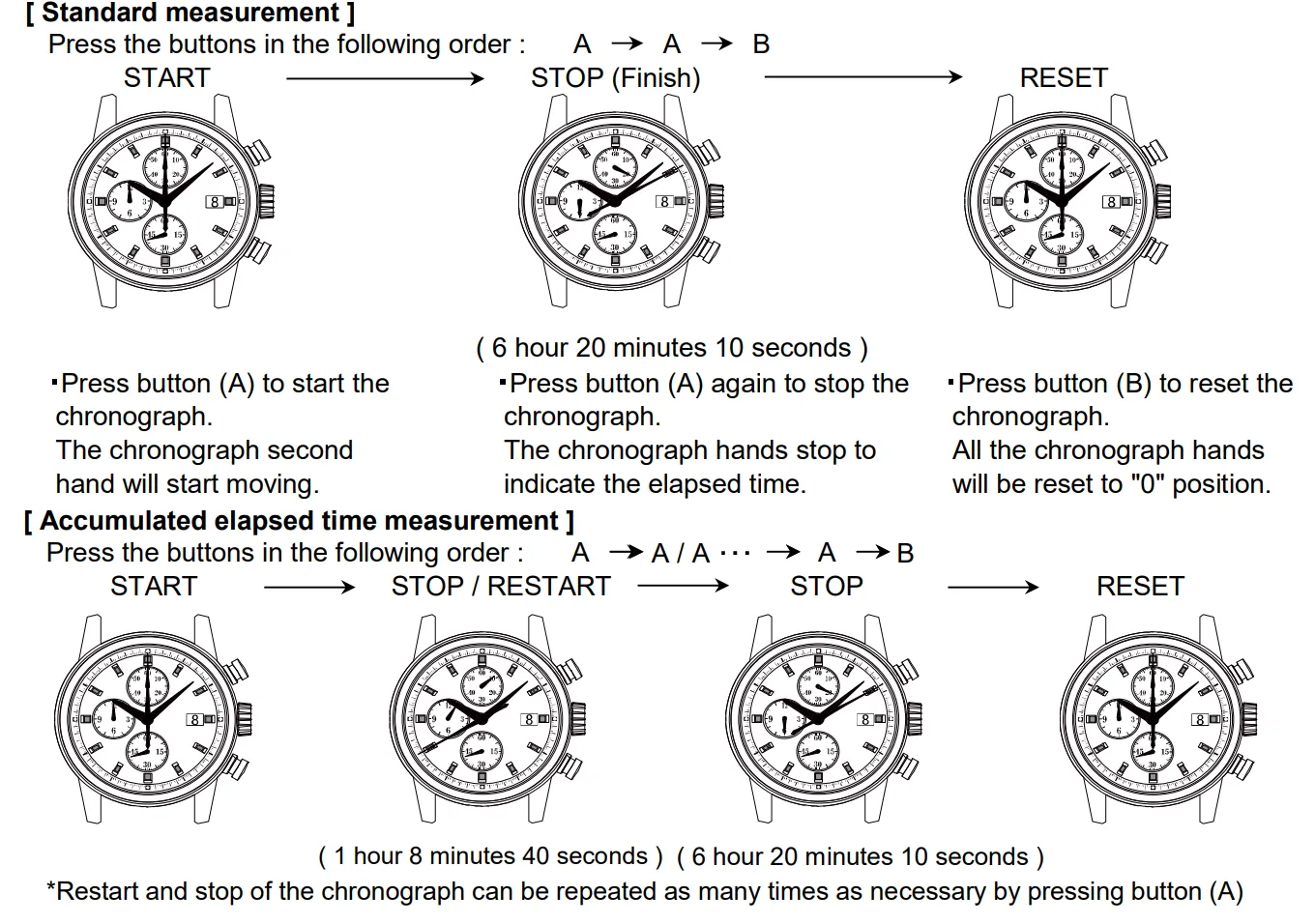
If the crown is pulled to the second position while the chronograph is started, the chronograph hands will continue to move. This is not a malfunction.
2 / How to set the date
Pull out the crown to the first click position.
Turn the crown clockwise for date setting.
*Do not set the date between 9:00 P.M. and 3:00 A.M. as this will cause a malfunction.
Push the crown back into the normal position.
3 / How to reset (after battery change)
It is possible to reset by the following two methods.
Method 1)
1) Set the crown to the normal position.
2) Touch the AC terminal of circuit block and the switch spring with conductive tweezers to reset the circuit.
3) The small second hand will move at two-second interval for 10 seconds.
Method 2)
1) Pull out the crown to the second click position.
2) Press the button (B) for two seconds and release the button.
3) Push the crown back to the normal position.
4) The small second hand will move at two-second interval for 10 seconds.
* If the crown is operated within this 10 seconds, the two-second interval movement will not activate.
[ Note ]
It is not necessary to set the chronograph hands after the battery is exchanged. If the chronograph hands position are incorrect, following below procedure all the chronograph hands will be reset to "0" position.